- U-M
- //
- LSA
- //
- Department & Units
- //
- Majors & Minors
- //
- LSA Course Guide
- //
- LSA Gateway
- //
- Knowledge base
If your department has hoteling spaces available within the self-scheduling space reservation platform, those spaces are denoted with QR codes at each desk. The easiest way to reserve these desks on-the-go is with the mobile app. You can also book a desk through the web dashboard.
If you plan to scan QR codes to book a desk, you'll need the Robin mobile app. The app is available in the App Store for Apple devices and the Google Play Store for Android devices.
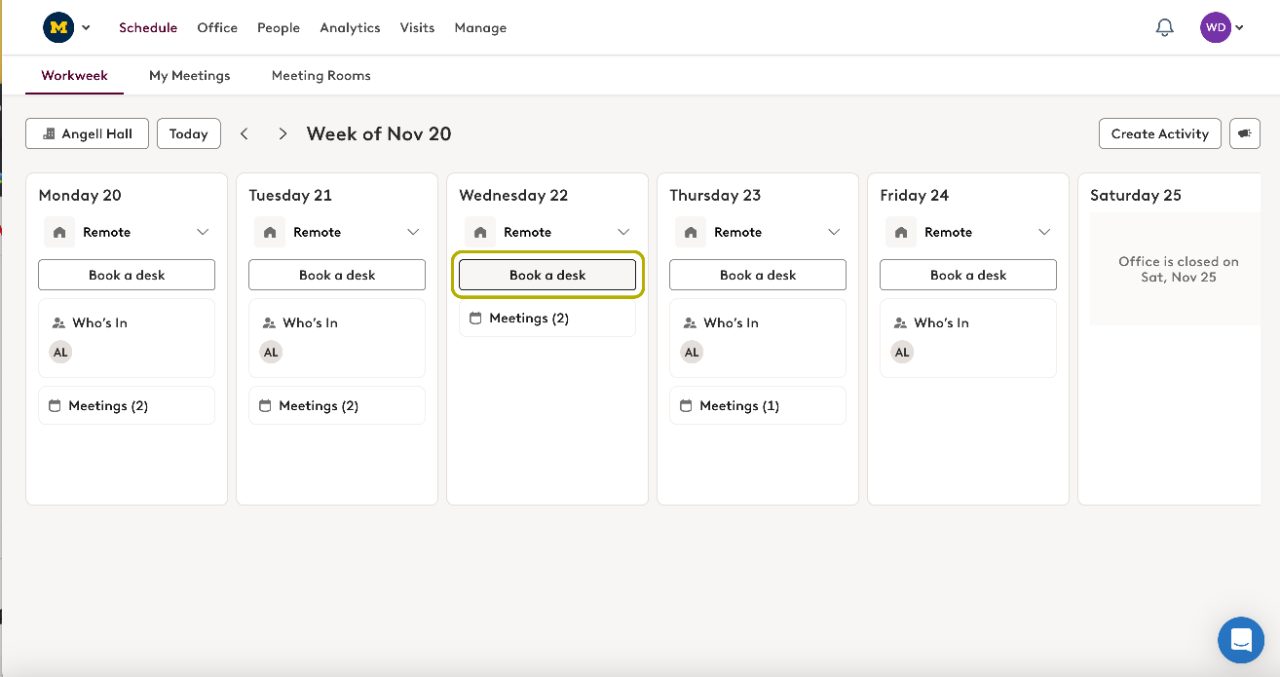
There are a couple of ways to book a desk: from the Schedule view or from the Map view.
Click on Schedule in the side navigation.
Select your desired building and week from the top.
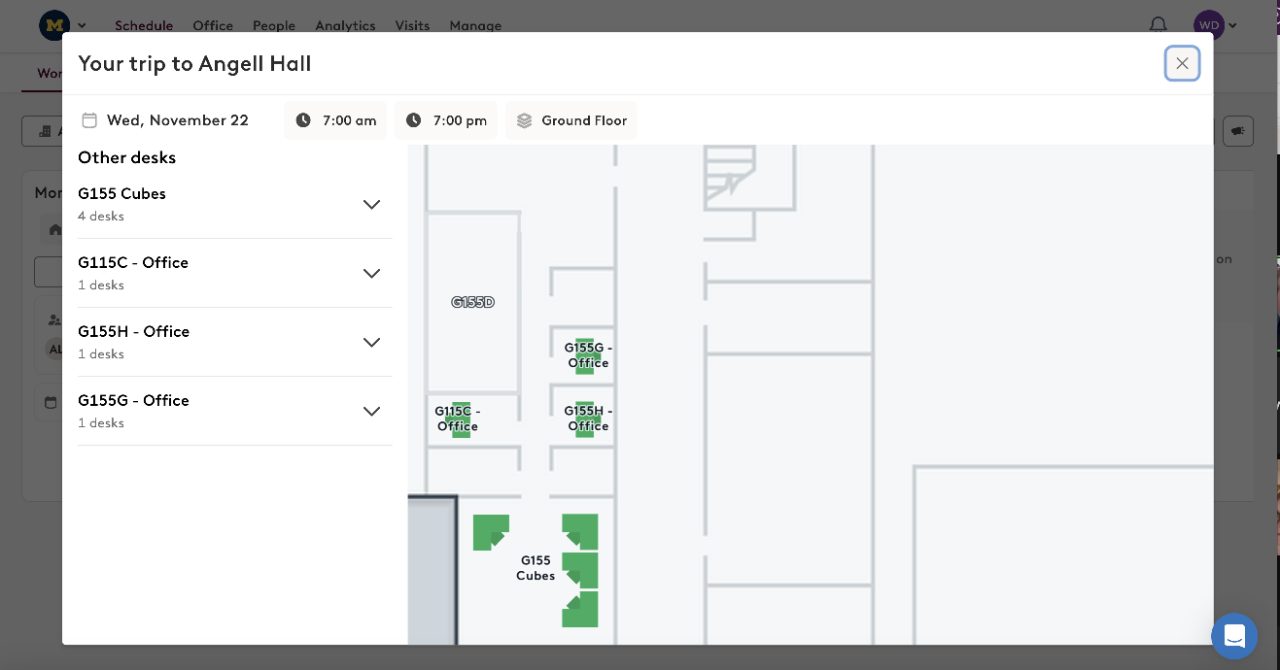
Find the day you'd like to reserve, and click Book A Desk.
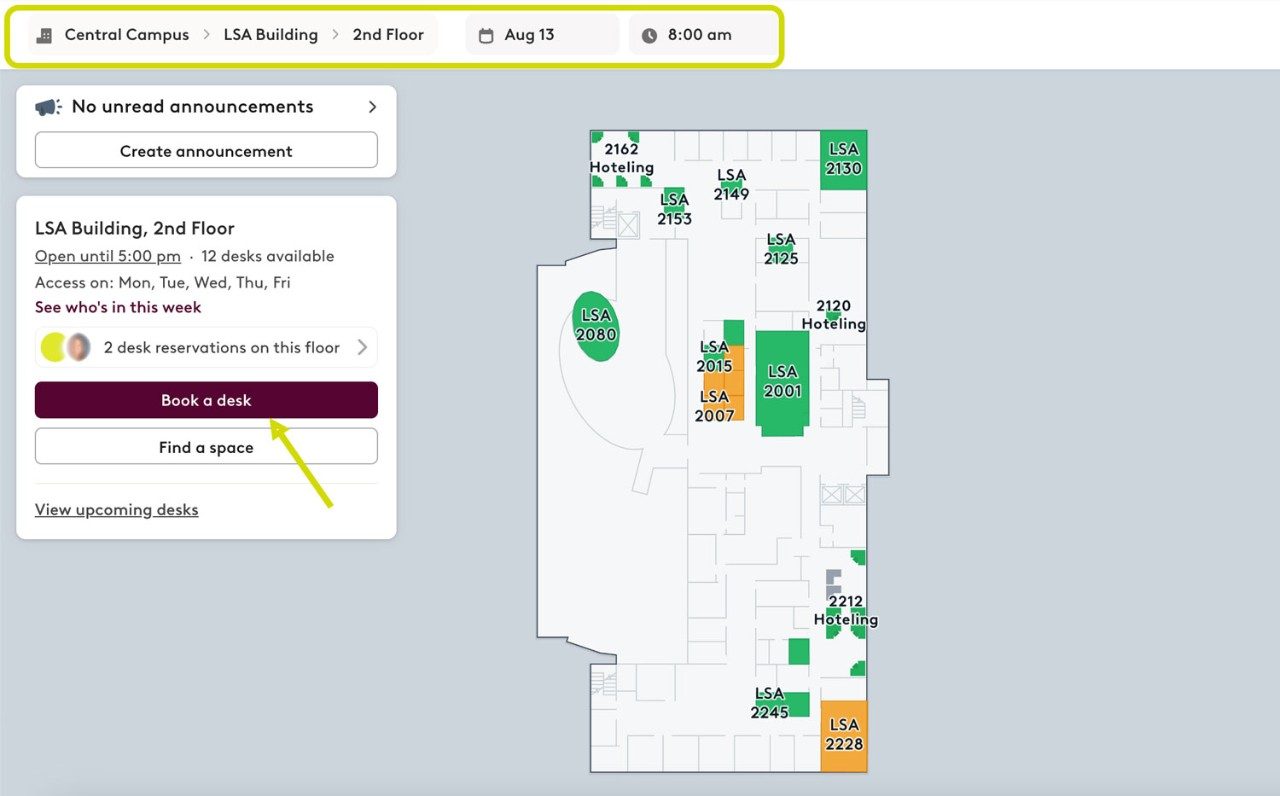
Click on Map in the side navigation.
Edit the location, date & time at the top as needed. Select the “Desks” button at the top of the map to search by amenities.
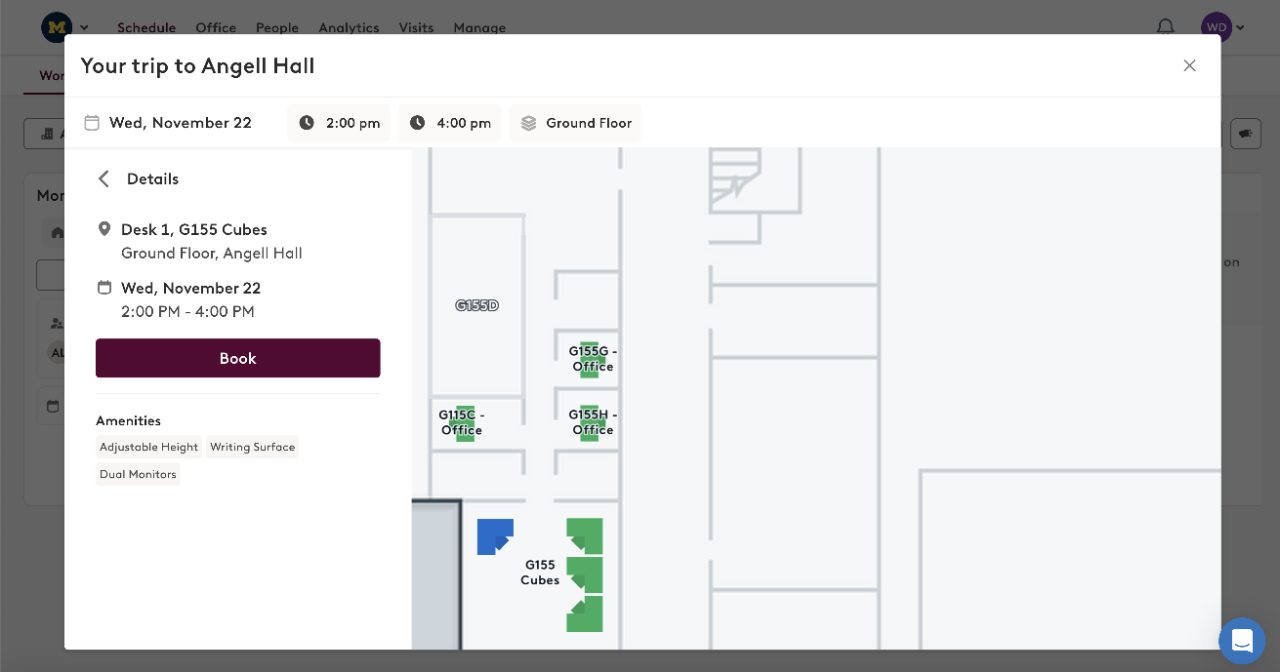
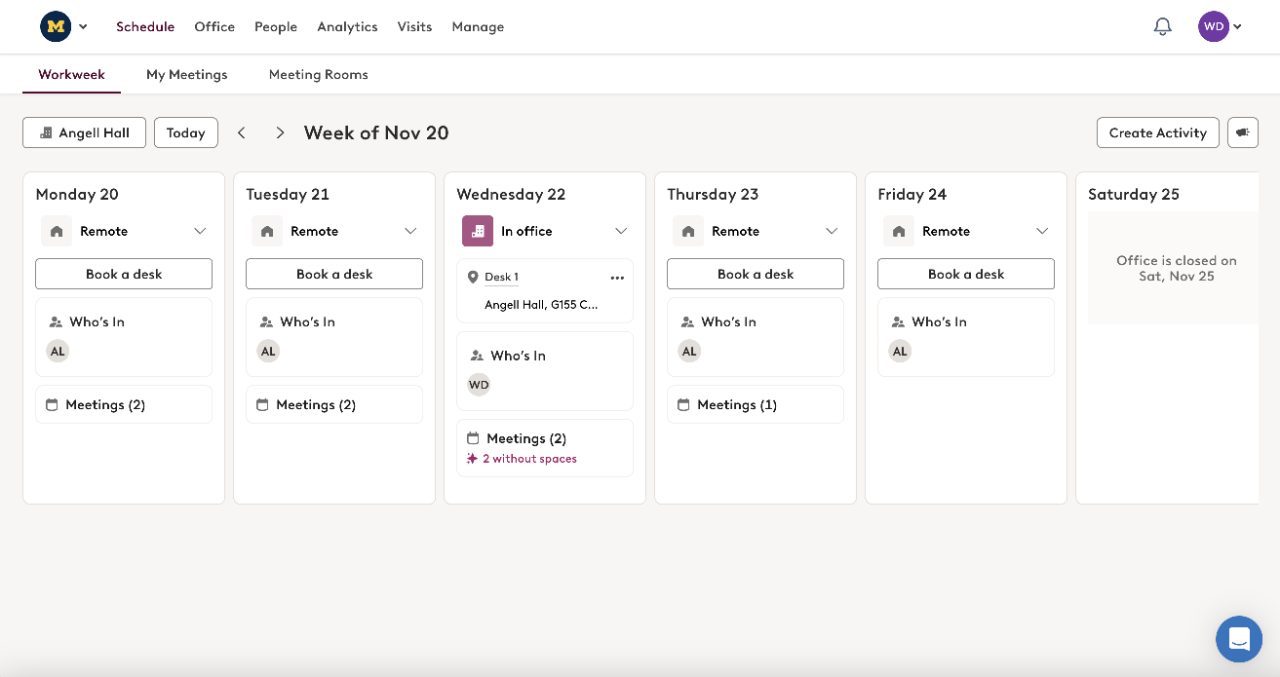
Click on a desk you’d like to reserve. The right side panel defaults your reservation end time to the time set in your preferred working hours (this can be edited in your User Settings). You can update the date and time, or view the desk’s amenities if desired. To complete the reservation, click the Book button.
TECHNOLOGY SERVICES
G155 Angell Hall, 435 South State St, Ann Arbor, MI 48109–1003
734.615.0100
LSATechnologyServices@umich.edu
